Monday, March 29, 2021
Thursday, March 4, 2021
Seagate F3 Terminal Command Set
The Very Basics:
TTL Default Settings:
Bits per second - 38400
Data Bits - 8
Parity - None
Stop Bits - 1
Flow Control - None
Ctrl + z (initiates the terminal connection and should prompt with level T>)
Ctrl + a (displays drive info, Package Version, Serial #, Model # (useful for missing label), Servo FW, etc.
Ctrl + l (displays drive info, # heads, serial, preamp type, family ID, etc.)
Ctrl + c (tells some drives to spin down, can be used immediately after CTL + z)
Ctrl + x (displays log of history commands)
/X (used to change levels, replace X with level 2, 3, 4,... 7, T, etc.)
2>Z (puts drive to sleep)
2>U (spins drive up)
7>X (test read/write head resistance)
T>B[N] (sets baud rate to N, so for example T>B921000 sets to 921000 baud. If invald rate is input, e.g. B1, drive will report supported rates)
T>V1 (returns slip defect list - confirm translator loading)
T>V2 (checks T-List)
T>V4 (checks G-List entries)
T>V10 (checks P-List)
T>V40 (checks for non-resident G-list entries)
1>G6A (clear P-List - Not Recommended!)
T> i2,2,22 (clear T-List - Non Recommended!)
C>Q (returns list of all available commands, sometimes just says "No Help Available" on all of them)
1>N1 (clears S.M.A.R.T)
1>N5 (returns SMART values in terminal window)
T>i4,1,22 (clears G-List)
7>m100 (clears DOS config tables)
T>J (displays CAP which has some drive info such as internal model, family ID, serial numbers, etc.)
C>U10 (regenerate MCMT while retaining MC contents)
C>U2 (regenerate MCMT and MC)
F Command: (thanks to hddoracle.com)
This is helpful for drives stuck in pending reallocate mode (E.G. InitiateMarkPendingReallocateRequest for disc_lba: )
All commands issues at level T>. Also HDD needs to be power cycled after issuing.
F (lists out all the parameters and bytes that can be modified within the F command)
F"RWRecoveryFlags",00,22 (disables read sparing, write sparing, and enables correction)
F"RWRecoveryFlags",01,22 (disables read sparing, write sparing and disables correction)
F"BGMSFlags",00,22 (disables background media scan)
F"PerformanceFlags",0060,22 (disables offline sparing, deferred auto reallocation, and idle activities)
F"ReadRetries",00,22 (disables read retries - possibly better performance in software like ddrescue)
F,,22 (resets to default - sometimes necessary to get sector access back afterward)
r & w Commands:
Commands issued at level T>
r command is used to read system files (E.G. T>r93 requests system file 93)
w command is used to write system files (E.G. T>w28 initiates write for system file 28)
These commands can also be used to read/write a specific volume/copy of a system file. The command is issued as follows:
r[FileId],[VolumeNum],[CopyNum],[ByteOffset],[Length],[OutputFmt]
w[FileId],[VolumeNum],[CopyNum],[ByteOffset]
So for example to read system file 28 volume 3, copy 1: T>r28,3,1
To write system file 93 volume 3, copy 0: T>w93,3,0
(Most SA modules are in the default volume 3, just FYI)
These read/write operations are carried out using Y-Modem protocol supported by some terminal programs.
SSHD Specific (Rosewood Drives):
O>I (Clear NAND of Donor in preparation for PCB replacement w/ ROM transfer)
M Command Quick Reference: (thanks to PCLab)
All commands issued at level T>
m0,6,2,,,,,22 (most commonly used to regenerate translator)
m0,2,1,,,,,22 ( To rebuilt slip list, V1 )
m0,2,2,,,,,22 ( To rebuilt G list, V2 )
m0,2,3,,,,,22 ( To rebuilt P list, V3 )
m0,5,1,10,3,,,22 ( To zero fill with slip list )
m0,5,2,10,3,,,22 ( To zero fill with G list )
m0,5,3,10,3,,,22 ( To zero fill with P list )
m0,8,1,10,3,,,22 ( To format with slip list )
m0,8,2,10,3,,,22 ( To format with G list )
m0,8,3,10,3,,,22 ( To format with P list )
m0,D,1,,,,,22 ( To repair bad sector by Slip list )
m0,D,2,,,,,22 ( To repair bad sector by G list )
m0,D,3,,,,,22 ( To repair bad sector by P list )
m0,20,1,,,,,22 ( To format (seacos XF) by Slip list )
m0,20,2,,,,,22 ( To format (seacos XF) by G list )
m0,20,3,,,,,22 ( To format (seacos XF) by P list, most powerfull to repair bad sectors, red and green blocks )
m0,2,2,,,,,22 ( Format user area partition without certifying defects and relocate defects. not effect Data in a drive )
m0,2,1,,,,,22 ( Format user area partition with user slip list with certify defects. DATA WILL BE LOSS )
m0,D,3,,,,,22 ( Format user area partition with repairing of bad sector, auto add bad sector into G list and in the last it will be shifted to P list )
m0,5,1,,,,,22 ( it used for erasing of all sector )
m0,8,2,,,,,22 ( it is used for formatting hard disk sectors )
M Command Full Explanation: (thanks to irs)
Seagate Terminal M Command.doc- (17.67 KiB) Downloaded 6185 times
Terminal Errors Explained: (thanks to HDDGuy)
TCC-001A[0x000042F9][0x000042F9]ZZZZMMMMMMMMMMMMMMMZZZZZZZZZZZZZZZZZZZZZZZZZZZZZZZZZZZZMMMMMMMMMMM.... = This error relates to an inability to read Servo or Overlays. This message is also displayed at some Grenada models when PCB/ROM is not native.
Failed to load overlay 00000004 - this is usually associated with some hardware error and can be caused by non-native adaptives (i.e non-original ROM)
SIM error 1002 = this message alerts us to some error with one or more defect list. Potentially P-list or NRG list can be bad.
SIM error 2044 - Translator tables cannot be read or are damaged.
SIM error 1009 - Module 17A is damaged
SIM Error 203F / SIM Error 2040 / SIM Error 2044 / SIM Error 3005 - Also seem to be damaged or unreadable translator related errors
LED:00000047 FAddr:FFFFFFFE - Usually this relates to Media Cache
LED:000000BC FAddr:00006220 - Usually this also relates to Media Cache or some relocation parameters.
More Terminal Errors Explained: (thanks to jol and acelabs)
SIM ERROR 3005 (mean that “format corrupted flag” in on and Translator is not loaded in RAM)
“No HOST FIS-ReadyStatusFlags” (reason message: why translator is not loaded).
More Terminal Errors Collected From the Web By Your's Truely
LED:0x000000BD FAddr:0x00009887 or LED:000000BD FAddr:0000988E - Usually relates to Media Cache or other background processes in System File 93. Some have reported clearing SMART as having fixed the issue.
MCMTFileHandler: EXCEPTION: Failed MCMT read request - Relates to System file 346 being damaged, or possibly media cache
LED:000000CC FAddr:0024A7E5 - Bad Translator. Short read channel, clear smart, regenerate translator.
SMI init (or) Training Failed - Bad PCB
Disc FW failed to load - Bad PCB
Sense code = xxxxxx82 – problem with sector translation (broken translator) (x's will be other numbers)
Sense code = xxxxxx81 – uncorrected error (bad sector, not translator)
LED:00000067 - Normal if PCB is removed from HDA. Otherwise it's heads/media damage
SimError - Remaining in BootFW
Perform a double download without a power cycle (This error occurs with non-original ROM code or PCB)

Wednesday, January 27, 2021
Thursday, December 24, 2020
Model : ST1000DM003-1SB10C
Serial : Z9A17X5E
Firmware : CC43
Capacity : 1 000 GB (1 953 525 168)
F3 T>
HighPowerMode Status 0001 Req 0002
Pharaoh Oasis LuxorLite 1.0, 1MB Flash, ABIE, PBASeed, SP2.5, DFZ9A17X5E
Product FamilyId: 94, MemberId: 06
HDA SN: Z9A17X5E, RPM: 7197, Wedges: 188, Heads: 2, OrigHeads: 2, Lbas: 00000E8FEAA6, PreampType: B0 04
Bits/Symbol: C, Symbols/UserSector: BEB, Symbols/SystemSector: 1A5
PCBA SN: 0000W622UCFM, Controller: LUXORLPLUS_2_0(0205), Channel: STX_DUNRAVEN, PowerAsic: Unknown Rev 00, BufferBytes: 2000000
SF ID: 0 0, SF Part Size: 400, Flash Used: 400
Package Version: PAA4010B4.CCD4.PA1C00.CC43 , Package P/N: 100791438, Package Global ID: 00496476,
Package Build Date: 11/10/2015, Package Build Time: 14:30:08, Package CFW Version: PAA4010B4.CCD4.PA1C00.00946774.00496476.CC43 ,
Package SFW1 Version: B423, Package SFW2 Version: ----, Package SFW3 Version: ----, Package SFW4 Version: ----
Controller FW Rev: 11101430, CustomerRel: CC43, Changelist: 00946774, ProdType: PAA4010.CCD4QC, Date: 11/10/2015, Time: 143008, UserId: 00496476
Servo FW Rev: B423
TCG IV Version: n/a
Package BPN: 36
RAP FW Implementation Key: 16, Format Rev: 0005, Contents Rev: 0B 01 00 00
Active BFW Container: 0
4K Sys Area: 0
PreampFaultStatus = 0004
SOLUTION: HEAD REPLACEMENT
MEDIA CATCH

Wednesday, December 23, 2020
Model : ST1000LM035-1RK172
Serial : W9320B60
Firmware : SBM3
Capacity : 1 000 GB (1 953 525 168)
Update Mask - 0000000004D667A0 - 00000008 - 00
Update Mask - 0000000004D667A8 - 00000008 - 00
Update Mask - 0000000004D667B0 - 00000008 - 00
Update Mask - 0000000004D667B8 - 00000008 - 00
Update Mask - 0000000004D667C0 - 00000008 - 00
Update Mask - 0000000004D667C8 - 00000008 - 00
Update Mask - 0000000004D667D0 - 00000008 - 00
Update Mask - 0000000004D667D8 - 00000008 - 00
Update Mask - 0000000004D667E0 - 00000008 - 00
Update Mask - 0000000004D667E8 - 00000008 - 00
98 FILE WORK

Wednesday, December 9, 2020
Monday, November 23, 2020
Rosewood EB01 Error : BFW compatibility sect. inx err!
Terminal Out put
Boot0x80M
TCC:0021
QB
Rst0x80M
T:0x000C 0x3162FB2C
FTU
TCC:0021:0028 EMCDataErr:00000012
PrgF
(P)SATAReset
RAWOFF
PASS
EDACValue=00000000FFFFF111
SIMFileFD=FC3B3348ErrorCode=44090082DiscLBA=0000000000006498Duration=00000821ms
EDACValue=00000000FFFFF111
SIMFileFD=FC3B3348ErrorCode=44090082DiscLBA=0000000000013E98Duration=00000821ms
MCMT table is corrupted
6GbMaxSpeedloweredto3GbforIntelbug
SendStatus:COMRESETseen
CSpd=3Gbps
FIS34
DOS:0 Scan Unit
SOLUTION : /cU10
fix

Wednesday, November 4, 2020

*PAUNI_L2958*PA VID=0011 PN=000D Rev=0001- PA_LSI2958 Found
*PAUNI_L2958*PA VID=0011 PN=000D Rev=0001- PA_LSI2958 FoundU
MADIPAKKAM
ST1000LM024 in with head failure. Heads were replaced successfully and HDD enters RDY.
Quite
a number of firmware modules were unreadable reporting UNC or ABR on
all heads. However increasing the read attempts in utility from the
default of 102 to maximum of 255 allowed reading of nearly all modules.
There were particular problems reading S-List to begin with
It is
possible to read sectors, however there appears to be a translator
issue - data in sector 0 is wrong, and other data the disk reads does
not correspond to what would be expected in that sector. Reading parts
of the MFT allow access to file entries, but opening the files they
nearly all have the incorrect header. RAW recovery provides good files.
Perhaps one of the defect lists is not correctly being loaded? (S-List)
Terminal output below from power on.
Thanks,
A
ActiveFW : 00
FWVer : 0001
SATA PLL cal done
DDR size detected = 16MB
*PAUNI_L2958*PA VID=0011 PN=000D Rev=0001- PA_LSI2958 Found
*PAUNI_L2958*PA VID=0011 PN=000D Rev=0001- PA_LSI2958 FoundU
S_0SO_1
SPU@23C,5060mV
IS=3
CLA ..36/65
HO..OK
HO RPM=3263 OK
AC 780
ST..Skip..OK
mS1 00000003
GT:406
SC(L):4100/16
BE.N:28
LD..OK
SK C: 7747 H:0
Loaded FIT ( 0: 0: 1)
CalibTable Loaded. Rev:0x1B
ResoTable Loaded. Rev:0x01
Bump Limit Loaded. Rev:0x01
RRO1xTable Loaded. Rev:0x01
Fw Active 00
Ovly loaded to 0x00014D00
Ovly loaded to 0x1002DF60
FdtTable Loaded. Rev:0x02
| 17 | SLIST | 4 | 0 | 0 | 5B04 |
| 17 | SLIST | 4 | 1 | 0 | 1140 |
| 17 | SLIST | 4 | 2 | 0 | 1140 |
Unknown file id 384
Up MC
PwrOn RRO1x @ H0
Table) cos = -711680, sin = 496640
Coeff) cos = -35792, sin = 50008
DiskSlip : 122 [SrvTrk]
DiskSlip : 131 [SrvTrk]
0. phs diff 1 [wedges] Table) 155, coef) 154
PwrOn RRO1x @ H2
Table) cos = -716544, sin = 489472
Coeff) cos = -30592, sin = 34175
DiskSlip : 122 [SrvTrk]
DiskSlip : 129 [SrvTrk]
4. phs diff 0 [wedges] Table) 156, coef) 156
TgtCyl: 832
Hd: 2 Zn: 0 Avg.:- 229
TgtCyl: 263568
Hd: 2 Zn: 1 Avg.: 1045
SVCAL(0080,0000)-->PASS
RecordValid Fail : 0406E47D 0007E41D
ENG>| 152 | ZONHEAL3 | 64 | 0 | 0 | 5B04 |
[INIT_ATWH_V2 REV:0008 GRP:1]
RdyTm = 15764986 us
EPOK
mS1 00000003
SK C:155464 H:0
SC(U)..4100/80
UD..OK : 80
PK_4 C: 9 H:0
healing Enable 003C 001E 0000 001E
SOLUTION
you can used: rebuild S-List From T-List . And ReBuild T-List From D-List. in the menu .
Turn off and on Power. and try again.

Friday, October 16, 2020
Use PC-3000 for HDD. Seagate F3. Repair Seagate hard drive "MCMTFileHandler: EXCEPTION: Failed MCMT read request" error data recovery
Recently, we received a Seagate hard drive data recovery case. After powering on the hard drive, we saw the following information in the command terminal:
- MCMTFileHandler : EXCEPTION : Failed MCMT read request
We often encounter such situations, so let's see what can be done to bypass this error and get access to the complete hard disk ID and user data area to complete the hard disk data recovery from such failures.
As we know, MC (MediaCache)-a temporary non-user addressable memory used to buffer input or output data on magnetic media. If the drive works for too long, then the MediaCache area will write errors, and the corresponding system file (vol.0x03 File ID 0x0346), which is related to MediaCache, becomes unreadable. Let us look at the real driver.
ST500DM002 starts normally without any abnormal sound, but the ID cannot be read, and the following error message is displayed on the terminal:
If we try to use the read command to check 346 system files, we see the following output information:
This means that 346 system files are readable. But the read command (F3 T>r) only checks the first few sectors of the system file, so we cannot be sure whether the entire system file is really good. So we need to manually use the read terminal to check it. Use Tools- >Utility extensions->Service information objects :
and then in System File tab enter the File ID we want to check:
To make reading faster, we can increase the previous interface speed:
As we can see in the next screenshot, the reading has stopped from block 129 of 321, and the system file has not been read:
It seems that we have found a problem: 346 system file, which is a necessary condition for driver initialization, we need to repair it to make the drive work normally, but what if the system head cannot write to the service area ? We can check the writing according to the next document.
Let's try to write a 346 system file on another Seagate Pharaoh family hard drive. I filled it with 00 to make the drive's initialization faster.
Have a good resource backup. If you don’t have a compatible backup yet, you can download the 346 files of the r Pharaoh and Grenada families here.
Then use the Write Data to HDD button to select and write the system files of the accessory hard disk:
When the writing is over, we refresh the 346 sysfile and see that we are lucky, and there are no bad sectors in the body of the sysfile, and 346 has been written and can be read again.
Therefore, we restart the drive, wait for it to be ready, and get the full ID and normal access to the sector!

Monday, October 12, 2020

F3 T>
Boot 0x40M
Spin Up
Trans.
Spin Up
SpinOK
TCC:0020
(P) SATA Reset
RAW OFF
PASS
MCMainPOR: Start:
User Data Base 004403B0
Check MCMT Version: Current
MCMainPOR: MCTStateFlags 0000002A MCStateFlags 004000C1
MC061: MainPOR: MC off and MCMT empty
MC057: MainPOR: EXCEPTION: POR Failed General Tms 00000040
MC062: MainPOR: Feature Disabled...
MSP MainPOR: Feature Disabled by AMPS
6Gb Max Speed lowered to 3Gb for Intel bug
Send Status: COMRESET seen


F3 T>
ASCII Diag mode
F3 T>
Input_
RECOV Servo Op=0100 Resp=0005Command_Error
F3 T>
ASCII Diag mode
F3 T>
RECOV Servo Op=0900 Resp=0005
RECOV Servo Op=0165 Resp=0005
(P) SATA Reset
Input_Command_Error
F3 T>
Rst 0x10M
Servo Processor Is Reset.
Spin Up
RECOV Servo Op=0100 Resp=0005
RECOV Servo Op=0900 Resp=0005
RECOV Servo Op=0165 Resp=0005
(P) SATA Reset
LED:000000BC FAddr:00004400

Thursday, October 1, 2020
TOOLS NVME M2 SSD ENCLOSER
Thanks to the different screw holes, the NVMe M.2 housing can be used for different types of NVMe M.2 drives. It is possible to install the following disks: 22x30, 22x42, 22x60 and 22x80. Check in advance whether your NVMe M.2 disk fits in this Orico NVMe M.2 housing.
Compatible with PCIe NVMe M.2 M Key SSD with 2280, 2260, 2242, 2230 form factor: Samsung 950 Pro, PM951, PM981, SM961, 960 EVO, 960 Pro, 970 EVO, 970 Pro, WD Black, ADATA XPG, Corsair Force, Crucial, Intel Optane memory 600P, 760P, 900P, Toshiba OCZ RC100, Patriot, SK Hynix, Kingston, Mushkin Pilot, DREVO D1 XTREME Z370. Note: not suitable for SATA M.2 SSD.
Note: This enclosure is only suitable for NVME M.2 drives, including:
ADATA SPECTRIX S40G
ADATA SX6000 Lite and PRO
ADATA SX8200 PRO
ADATA XPG GAMMIX S5 / S11 PRO
ADATA XPG SPECTRIX S40G
KINGSTON S-A1000-M8 NVME 240/480/960 GB.
ORICO TROODON V500 SSD Series
LEXAR NM610
LEXAR NM520
VGEN HYPER NVME M.2 Series NV256VHY
SAMSUNG 950 PRO / SM961 (OEM)
SAMSUNG 960 PRO
SAMSUNG 970 EVO and EVO PLUS
WD BLACK PCI-e NVME SSD
WD BLUE SN500 NVME SSD
The NVMe M.2 hard drive enclosure is therefore NOT compatible with M.2 SATA drives.
Between the images you can find which disks are not compatible with this housing.
Saturday, March 21, 2020
Seagate Rosewood Families, Headmaps and Preamps
WES - 0,1 - 82 - SDM1
WCC - 0,1,2,3 - 82
W93 - 0,1 - 82
Rosewood A5 (CheopsLiteM) - WBZ, WDE, ZDE, WDZ, ZDZ, ZF5
WBZ - 0,1 - 82; 0,1,2 - 82 - SBK3, SBM3; 0,1,2,3
WC0 - 0,1,2,3 - 82 - SBM3
WDE - 0,1 - 82
WDZ - 0,1,2,3 - C2/82 - LDM2
WL1 - 0,1 - C2 - SPS6, 0,1,2,3 - SDM4
WQ9 - 0,1,2,3 - 82 - RTM2
ZDE - 0,1 - 82, 0,1 - 87 - SBM3, RSM7
ZDZ - 0,1,2,3 - 82 - SBK2
ZF5 - 0,1,2 - C2, 82
Rosewood AF (Janus) - WDZ, ZDZ
WBZ - 0,1 - 82 - ????
WDZ - 0,1,2,3 - ??? - EB01
ZDZ - 0,1,2,3 - 82 - EB01
Note: it was just noticed that when reading the Preamp directly from ROM on one drive (ZF5), the preamp shows as 82. Yet, via ctrl-l in terminal, it shows C2. This seems to reinforce the idea that the preamp versions are likely interchangeable.
- This has happened 2X, thus far - Using a Rosewood AF (ZDZ) set of heads on a Rosewood A5 (WDZ) patient allowed to read, but could not write SA.
- As noted below by @arthur, AF-WBZ donor heads worked for A5-WBZ patient, including the ability to write to SA.
Thursday, March 19, 2020
Address:
No 24/13, Ground Floor, Pillayar Koil St,
Vadapalani, Chennai, Tamil Nadu 600026
near R8 Police Station
Phone: 070921 14422
http://www.datarecoverychennai.co.in/
Mail Id : [email protected]
Map: https://g.page/data-recovery-chennai?share
Raminfotech Data Recovery can recover data from hard drives in any data loss scenario, whether physical or logical and are experts at performing hard drive recoveries from these issues:
Clicking
Dead Heads
Torn heads
Scratched
Stuck Motor
Platter Damage
Accidental File Deletion
Reformatted
Environmental Damage (water damaged or fire burned drives)
Featured Hard Drive Recovery Services
Our technology allows us to perform data recovery on hard drives of all types, regardless of physical size or issue. Here are some types of common hard drives that we can recover from:
Desktop Data Recovery
When failures occur, desktop hard drive require treatment in a certified Cleanroom. This page explains our process for identifying issues and recovering data from standard desktop drives.
Laptop Data Recovery
Laptop hard drives commonly fail due to physical shock, electronic issues or liquid damage. We deliver high success rates
External Hard Drive
Several factors can influence the chances of success for external hard drives, and this page details how our technicians limit risks while ensuring exceptional results.
SSD Data Recovery
Solid-state drives (SSDs) are rising in popularity, and while these devices are relatively robust, they can still fail for a number of reasons. We offer a full set of data recovery options for all SSD brands.
All hard drives are treated with the same certified technology, and our data recovery engineers follow strict security procedures to protect recovered data from unauthorized access. When it comes to recovering data from a failed hard drive Secure Data Recovery Services maintains high overall success rates of over 96 percent.
We Work With All Hard Drive Operating Systems
We currently provide hard drive data recovery services for all operating systems. Operating system can affect the logical (non-physical) portion of the data recovery process, and we employ a team of skilled software technicians to treat every case as effectively as possible.
Apple
Secure Data Recovery Services employs Apple Certified Mac Technicians (ACMTs) to safely recover files from all types of Mac OS devices.
Microsoft
Our hard drive data recovery services provide an excellent resource for Microsoft Windows users, and cutting-edge technology ensures dependable results for all versions of the operating system.
Linux
Linux systems require dedicated attention, especially when file corruption and other logical issues occur. We support every Linux distribution along with other Unix operating systems.
Our technicians have experience with every operating system that is available on hard drives. We can find appropriate solutions for any type of physical or logical hard drive failure. Our R&D team creates all of our software and hardware tools in lab, which allows us to recover your hard drive and give you fast results with unequaled security.
We Work With All Hard Drive Manufacturers
Secure Data Recovery Services provides options for all hard drive brands, and our services never void your active product warranties. As a recognized leader in our industry, we are recognized by many of the world's most popular hardware vendors. Ask a member of our team how to submit your warranty after data recovery is performed on your hard drive.
Seagate
We are a Seagate Data Recovery Partner, and our verification gives you peace of mind as your case progresses. View this page for our partner certificate and more information.
Western Digital
This page showcases our options for Western Digital hard drive owners. We maintain a partnership with Western Digital and offer customer-focused services with special discounted rates.
Toshiba
Secure Data Recovery Services is a Toshiba Registered Business partner, and we support all Toshiba devices including hard drives, solid-state drives and servers.
Samsung
We are a Samsung Registered Business partner and offer simple warranty-safe data recovery options for all Samsung product owners. Our services include hard drive data recovery, flash media recovery and more.
We also support other hard drive brands not listed above. Our large onsite hardware library allows for efficient and dependable results, and every case is treated with appropriate security controls to provide a private experience.
Tips for Increasing Your Hard Drive Recovery Success Rate
If your hard drive is exhibiting any of the failure signs below, follow the tips to increase your chances of a full recovery.
Clicking, Whirring, or Grinding Noises - immediately power down the device
Water Damage - remove the battery and other memory chips from the device and let it dry out.
Fire Damage - do not use the drive or attempt to open it up
Deleted or missing files - do not use the drive and turn it off to avoid overwriting information.
Do not open the hard drive to attempt a DIY recovery as you could cause irreversible damage and render your files unrecoverable. Call a professional data recovery company with proper security certifications and a Cleanroom facility for recovery.
Questions and Answers
Why do hard drives fail?
What does hard drive recovery cost?
How do engineers recover my data from the hard drive?
What if I only need certain files back?
Can I use hard drive data recovery software to fix my system?
Thank You
RAMINFOTECH DATA RECOVERY
MORE LINK
• www.datarecoverychennai.co.in
• www.raminfotech.datarecoverychennai.co.in
• http://www.raminfotech.net/datarecovery
• http://www.raminfotechdatarecovery.com
• http://india.raminfotechdatarecovery.com
• http://www.chennaidatarecoverylab.com
• http://datarecoveryhospitals.com/
• http://seagate.datarecoverychennai.co.in
• http://wd.datarecoverychennai.co.in
• http://mobile.datarecoverychennai.co.in
• http://www.raid-ssd-mobile-tablet-datarecoverychennai.com
• http://service.datarecoverychennai.co.in
• http://www.raminfotech.in/datarecovery
• http://www.raminfotech.co.in/datarecovery
• http://seagatewesterndigitaldatarecovery.com
• http://www.datarecoverycompanyinindia.com/
RAMINFOTECH SITE LINK
http://www.seagatedatarecoverycenterchennai.com/
http://www.raminfotech.net/data-recovery.php
http://www.raminfotech.in/data-recovery.php
http://www.raminfotech.co.in/data-recovery-chennai.php
http://www.raminfotechlaptopservice.com/desktop-hard-disk-recovery.html
http://www.raminfotechlaptopservice.in/data-recovery.html
http://www.chennailaptopservices.co.in/data-recovery.php
http://www.laptopservicecenteradyar.co.in/data-recovery.html
http://www.laptopservicecentervadapalani.com/data-recovery.html
http://www.laptopservicecenterporur.com/data-recovery.html
http://www.laptopservicecentermadipakkam.com/data-recovery.html
http://www.laptopservicecentervelachery.co.in/data-recovery.html
http://www.laptopservicecentertambaram.co.in/data-recovery.html
http://www.laptopservicecenterambattur.com/data-recovery.html
http://www.laptopservicecenteromr.com/data-recovery.html
http://datarecovery.raminfotech.net/
Chennai - Adyar
1 http://www.datarecoverychennai.co.in/data-recovery-center-adyar.php
2 http://mobile.datarecoverychennai.co.in/mobile-datarecovery-adyar.html
3 http://seagate.datarecoverychennai.co.in/adyar-contact.html
4. http://www.chennaidatarecoverylab.com/adyar.html
5 http://www.seagatedatarecoverycenterchennai.com/data-recovery-center-in-adyar.html
6 http://www.datarecoveryhospitals.com/data-recovery-adyar.html
7 http://www.raminfotechdatarecovery.com/branch/adyar.html
8 http://www.westerndigitaldatarecoverychennai.com/adyar-branch.html
9 http://www.seagatewesterndigitaldatarecovery.com/adyar-contact.html
10 http://www.datarecoverycompanyinindia.com/data-recovery-chennai.html
11. http://seagate-wd-toshiba-hgst.datarecoverychennai.co.in/adyar.html
12. http://hgst.datarecoverychennai.co.in/adyar.html
13. http://samsung.datarecoverychennai.co.in/adyar.html
14 http://toshiba.datarecoverychennai.co.in/adyar.html
15 http://www.laptopserviceschennai.com/desktop-hard-disk-recovery.php
Vadapalani
http://www.datarecoverychennai.co.in/data-recovery-center-vadapalani.php
http://mobile.datarecoverychennai.co.in/mobile-datarecovery-vadapalani.html
http://seagate.datarecoverychennai.co.in/vadapalani-contact.html
http://www.seagatedatarecoverycenterchennai.com/data-recovery-center-in-vadapalani.html
http://www.chennaidatarecoverylab.com/vadapalani.html
http://www.datarecoveryhospitals.com/data-recovery-vadapalani.html
http://www.raminfotechdatarecovery.com/branch/vadapalani.html
http://www.westerndigitaldatarecoverychennai.com/vadapalani-branch.html
http://www.seagatewesterndigitaldatarecovery.com/seagate-data-recovery-centre-in-vadapalani.html
http://seagate-wd-toshiba-hgst.datarecoverychennai.co.in/vadapalani.html
http://hgst.datarecoverychennai.co.in/vadapalani.html
http://samsung.datarecoverychennai.co.in/vadapalani.html
http://toshiba.datarecoverychennai.co.in/vadapalani.html
http://www.laptopserviceschennai.com/vadapalani-branch.php
Omr
http://www.datarecoverychennai.co.in/data-recovery-center-omr.php
http://mobile.datarecoverychennai.co.in/mobile-datarecovery-omr.html
http://seagate.datarecoverychennai.co.in/omr-contact.html
http://www.chennaidatarecoverylab.com/omr.html
http://www.seagatedatarecoverycenterchennai.com/data-recovery-center-in-omr.html
http://www.datarecoveryhospitals.com/data-recovery-omr.html
http://www.raminfotechdatarecovery.com/branch/omr.html
http://www.westerndigitaldatarecoverychennai.com/omr-branch.html
http://www.seagatewesterndigitaldatarecovery.com/seagate-data-recovery-centre-in-omr-road.html
http://seagate-wd-toshiba-hgst.datarecoverychennai.co.in/omr.html
http://hgst.datarecoverychennai.co.in/omr.html
http://samsung.datarecoverychennai.co.in/omr.html
http://toshiba.datarecoverychennai.co.in/omr.html
http://www.laptopserviceschennai.com/omr-branch.php
Porur
http://www.datarecoverychennai.co.in/data-recovery-center-porur.php
http://mobile.datarecoverychennai.co.in/mobile-datarecovery-porur.html
http://seagate.datarecoverychennai.co.in/porur-contact.html
http://www.chennaidatarecoverylab.com/porur.html
http://www.seagatedatarecoverycenterchennai.com/data-recovery-center-in-porur.html
http://www.datarecoveryhospitals.com/data-recovery-porur.html
http://www.raminfotechdatarecovery.com/branch/porur.html
http://www.westerndigitaldatarecoverychennai.com/porur-branch.html
http://www.seagatewesterndigitaldatarecovery.com/seagate-data-recovery-centre-in-porur.html
http://seagate-wd-toshiba-hgst.datarecoverychennai.co.in/porur.html
http://hgst.datarecoverychennai.co.in/porur.html
http://samsung.datarecoverychennai.co.in/porur.html
http://toshiba.datarecoverychennai.co.in/porur.html
http://www.laptopserviceschennai.com/porur-branch.php
madipakkam
http://www.datarecoverychennai.co.in/data-recovery-center-madipakkam.php
http://mobile.datarecoverychennai.co.in/mobile-datarecovery-madipakkam.html
http://seagate.datarecoverychennai.co.in/mapdipakkam-contact.html
http://www.chennaidatarecoverylab.com/madipakkam.html
http://www.seagatedatarecoverycenterchennai.com/data-recovery-center-in-madipakkam.html
http://www.datarecoveryhospitals.com/data-recovery-madipakkam.html
http://www.raminfotechdatarecovery.com/branch/madipakkam.html
http://seagate-wd-toshiba-hgst.datarecoverychennai.co.in/madipakkam.html
http://www.westerndigitaldatarecoverychennai.com/madipakkam-branch.html
http://www.seagatewesterndigitaldatarecovery.com/seagate-data-recovery-centre-in-madipakkam.html
http://hgst.datarecoverychennai.co.in/madipakkam.html
http://samsung.datarecoverychennai.co.in/madipakkam.html
http://toshiba.datarecoverychennai.co.in/madipakkam.html
http://www.laptopserviceschennai.com/madipakkam-branch.php
Ambattur
http://www.datarecoverychennai.co.in/data-recovery-center-ambattur.php
http://mobile.datarecoverychennai.co.in/mobile-datarecovery-ambattur.html
http://seagate.datarecoverychennai.co.in/ambattur-contact.html
http://www.chennaidatarecoverylab.com/ambattur.html
http://www.seagatedatarecoverycenterchennai.com/data-recovery-center-in-ambattur.html
http://www.datarecoveryhospitals.com/data-recovery-ambattur.html
http://www.raminfotechdatarecovery.com/branch/ambattur.html
http://www.westerndigitaldatarecoverychennai.com/ambattur-branch.html
http://www.seagatewesterndigitaldatarecovery.com/seagate-data-recovery-centre-in-ambattur.html
http://seagate-wd-toshiba-hgst.datarecoverychennai.co.in/ambattur.html
http://hgst.datarecoverychennai.co.in/ambattur.html
http://samsung.datarecoverychennai.co.in/ambattur.html
http://toshiba.datarecoverychennai.co.in/ambattur.html
http://www.laptopserviceschennai.com/ambattur-branch.php
Tambaram
http://www.datarecoverychennai.co.in/data-recovery-center-tambaram.php
http://mobile.datarecoverychennai.co.in/mobile-datarecovery-tambaram.html
http://seagate.datarecoverychennai.co.in/tambaram-contact.html
http://www.chennaidatarecoverylab.com/tambaram.html
http://www.seagatedatarecoverycenterchennai.com/data-recovery-center-in-tambaram.html
http://www.datarecoveryhospitals.com/data-recovery-tambaram.html
http://www.raminfotechdatarecovery.com/branch/tambaram.html
http://www.westerndigitaldatarecoverychennai.com/tambaram-branch.html
http://www.seagatewesterndigitaldatarecovery.com/seagate-data-recovery-centre-in-tambaram.html
http://seagate-wd-toshiba-hgst.datarecoverychennai.co.in/tambaram.html
http://hgst.datarecoverychennai.co.in/tambaram.html
http://samsung.datarecoverychennai.co.in/tambaram.html
http://www.laptopserviceschennai.com/tambaram-branch.php
http://toshiba.datarecoverychennai.co.in/tambaram.html
Velachery
http://www.datarecoverychennai.co.in/data-recovery-center-velachery.php
http://mobile.datarecoverychennai.co.in/mobile-datarecovery-velachery.html
http://seagate.datarecoverychennai.co.in/velachery-contact.html
http://www.chennaidatarecoverylab.com/velachery.html
http://www.seagatedatarecoverycenterchennai.com/data-recovery-center-in-velachery.html
http://www.datarecoveryhospitals.com/data-recovery-velachery.html
http://www.raminfotechdatarecovery.com/branch/velachery.html
http://www.westerndigitaldatarecoverychennai.com/velachery-branch.html
http://www.seagatewesterndigitaldatarecovery.com/seagate-data-recovery-centre-in-velachery.html
http://samsung.datarecoverychennai.co.in/velachery.html
http://seagate-wd-toshiba-hgst.datarecoverychennai.co.in/velachery.html
http://hgst.datarecoverychennai.co.in/velachery.html
http://toshiba.datarecoverychennai.co.in/velachery.html
http://www.laptopserviceschennai.com/velachery-branch.php
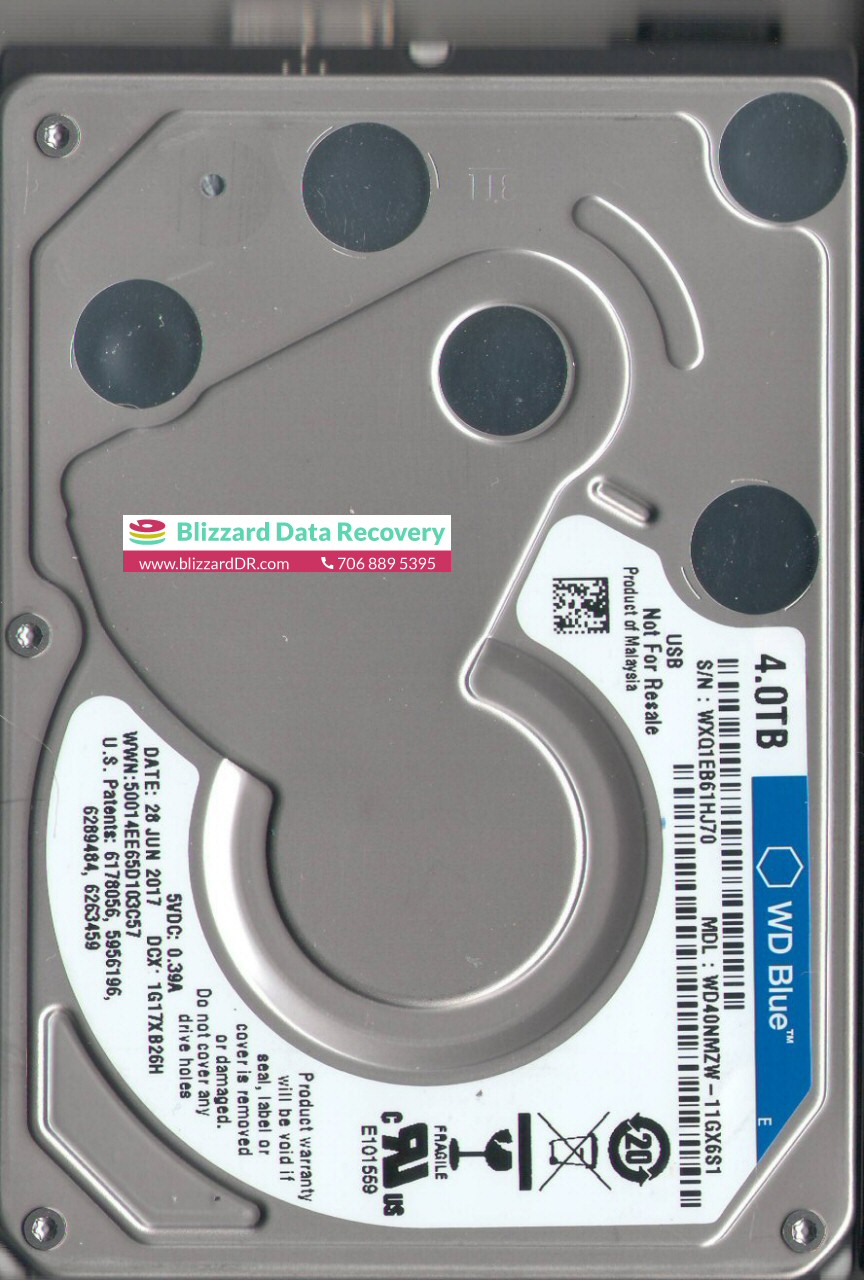
Model : WDC WD40NMZW-11GX6S1
Serial : WD-WX41D686DF32
Firmware : 01.01A01
Capacity : 4 TB (7 814 037 168)
PROBLEM : 4 TB HARD DISK DATA DISPLAY BUT NOT COPY DATA
USB 3 HDD UNLOCK PCB ROM READ
1.6 TB DATA RECOVERY
Ram infotech Data recovery Team
102, LB Road, Adyar
LM : Next Ganapathyram Theatre,
Chennai,Tamil Nadu 600020
http://www.raminfotechdatarecovery.com/contact.html
MORE LINK
Tuesday, March 10, 2020
Samsung USB to SATA PCB Compatability
100725482 ---> 100720903
100740633 ---> 100739392
100760718 --->100720903
100765396 ---> 100767980
BF41-00300A ---> BF41-00306A
BF41-00365A ---> BF41-00354A
BF41-00373A ---> BF41-00354A
BF41-00325A ---> BF41-00315A
BF41-00357A ---> BF41-00315A
BF41-00282A --->BF41-00249B
BF41-00311A ---> BF41-00315A
Unconfirmed:
BF41-00231B ---> BF41-00157A
Please post any others you know about below and I'll update the list.
WD USB to SATA Conversion Compatible PCB Guide
USB -> SATA
701605 - 701499
701615 - 701499
701635 - 701572
701650 - 701499
701675 - 701672, 701609, or 771672
771737 - 701692 or 771692
771754 - 701692 or 771692
771761 - 771692
771801 - 771823
771814 - 771820
771859 - 771852
771939 - 771959
771949 - 771959 or 771939 (771960 works electronically, but doesn't fit physically)
771961 - 771960, 771939, or 771959
771962 - 771931 or 771959 (771960 works electronically, but doesn't fit physically)
771817 - 771820
800038 - 800025
800041 - 800022-000 (for 3Tb) 800022-002 (for 4Tb)
800069 - 800066 (confirmed) or possibly 800052 (??? unconfirmed ???)
800067 - 800065
Please post updates below and I'll update the list. Thanks!
All pcb available-Raminfotech
Wednesday, February 26, 2020
Model : ST1000DM003-1ER162
Serial : Z4Y5WPQJ
Firmware : CC45
Capacity : 1 000 GB (1 953 525 168)
Hard Drive Evaluation
HEAD BAD 0 / TOTALY HEAD 2 ONE HEAD GOOD OTHER HEAD NOT WORKING 1 NOT WORKING
HEAD REPLECEMENT NEED DONER MACHING
Data Recovery of ST1000DM003-1ER162
DATA 100% RECOVERY COMPLETED DATA 600gB SIZE
Total Cost of Recovery:
LOW PRICE RS RS 15000/ ONLY
Ram infotech Data recovery Team
102, LB Road, Adyar
LM : Next Ganapathyram Theatre,
Chennai,Tamil Nadu 600020
http://www.raminfotechdatarecovery.com/contact.html
MORE LINK
Tuesday, February 25, 2020
Serial : WD-WXA1E583NCPJ
Firmware : 01.01A01
Capacity : 2 TB (3 906 963 632)
ThIs HDD Problem Data Display put Data Copy Not Possibles Client Problem
Check Hdd Health only 2% Only check Head 0.1.2.3 sa ok head number 3 week Usb To Data after Scan MFT Data MFT Backup 1.5 Gb Data Avib... Now 1.5 Gb Recovery Possibles 0.1.2 fist Copy Good speed Ones Compled head data Copy Very Low Speed Any Way Data Recovery Complited 2 Day take Case 100% Recovery Completed
MORE POSSIBLES
WD20SDZW-11Z3CS0, DCM , Western Digital 2TB USB 2.5 Hard Drive
Model: WD20SDZW-11Z3CS0
Date: 03 NOV 2018
Product of: Malaysia
PCB Sticker: 800067-201 06
PCB Revision: 2060-800067-001 REV P1
HDD with Serial Number: WXD1AA8L9TR3
Model: WD20SDZW-11Z3CS0
Date: 10 NOV 2018
Product of: Thailand
PCB Sticker: 800067-201 06
PCB Revision: 2060-800067-001 REV P1
HDD with Serial Number: WX61AB80AD62
Model: WD20SDZW-11Z3CS0
Date: 21 JAN 2019
Product of: Thailand
PCB Sticker: 800067-201 09
PCB Revision: 2060-800067-001 REV P1
Ram infotech Data recovery Team
102, LB Road, Adyar
LM : Next Ganapathyram Theatre,
Chennai,Tamil Nadu 600020
http://www.raminfotechdatarecovery.com/contact.html
MORE LINK
Thursday, February 13, 2020
WD HARD DISK NOT DETEING PCB SATA CONVETED AFTER IO IC SHIFED AFTER
ALL DATA RECOVERY
Ram infotech Data recovery Team
102, LB Road, Adyar
LM : Next Ganapathyram Theatre,
Chennai,Tamil Nadu 600020
http://www.raminfotechdatarecovery.com/contact.html
MORE LINK