Tuesday, July 13, 2021

 seagate 1tb

SIM FileFD=FC373028 ErrorCode=43160080 DiscLBA=000000000000ADD1 Duration=000008E6 ms


 No HOST FIS-ReadyStatusFlags 0002A1A1


SIM FileFD=FC375035 ErrorCode=43160080 DiscLBA=000000000000BA47 Duration=0000088D msBailing SOVABusy bit check to avoid hangBailing SOVABusy bit check to avoid hang
 SIM FileFD=FC375035 ErrorCode=43160080 DiscLBA=0000000000032377 Duration=0000087E msMax Wr Retries = 08, Max Rd Retries = 06,  Max Iterations = FF, Max Certify Rewrite Retries = 1172
Ev LBA/Soft XferLen  Zn Trk      Hd Sct  Wdg  PBA      ErrCode


Rst 0x0100MAF11250001    
No HOST FIS-ReadyStatusFlags 0002A1A1IDLE1
F3 T>
ASCII Diag mode

F3 T>
ASCII Diag mode

F3 T>
ASCII Diag mode

F3 T>
ASCII Diag mode

F3 T>
ASCII Diag mode

F3 T>
ASCII Diag mode

F3 T>
ASCII Diag mode

F3 T>
ASCII Diag mode

F3 T>
Boot 0x0100MAF11250001    
SpinUp
 RECOV Servo Op=0100 Resp=0005
 ResponseFrame 1A80 0000 0000 1E00 0000 0000 0000 0000 143C 0000 CE00 0000 CE00 0000 0000 0000 0000 971E 0002 D490 0002 24A8 0004 0001 0000 17E9 0000 0000 0000 0000 0000 0000 0003
TCC:0028

Trans
Tech Unlock Handshake: 0xE498EFAA
Reply:

Rst 0x0100MAF11250001    
No HOST FIS-ReadyStatusFlags 0002A1A1IDLE1


NOT SOLVED ARUL  TB CASE

Monday, June 14, 2021

No HOST FIS-ReadyStatusFlags 2002A1A5

 No HOST FIS-ReadyStatusFlags 2002A1A5


SALVED CASE : 1B 28 35 93 BACKUP  AFTER /M0,6,2,,,,,222 USE AFTER ID DISPLAY 

NOW IMAGE HDD 98% RECOVERY 


Seagate 7200.12 ‘SIM ERROR’ Firmware Fault

The symptoms of ‘SIM Error’ firmware fault from hard drives belong to Seagate 7200.12 family are:

1. Hard drive status keeps BUSY forever after switching on;

2. In the serial command line, it outputs (when PCB is attached to hard drive):

SIM Error 3005
No HOST FIS-ReadyStatusFlags 2002A1A5
ASCII Diag mode

3. In the serial command line, it outputs (when PCB is detached from hard drive):

No HOST FIS-ReadyStatusFlags 2002A1A5

To use the conventional method of fixing a ‘BUSY and LBA=0’ 7200.11 hard drive, it outputs:

No HOST FIS-ReadyStatusFlags 2002A1A5
ASCII Diag mode
F3 T>/2
F3 2>Z
Spin Down Complete
Elapsed Time 6.015 secs
F3 2>
ASCII Diag mode
F3 T>/2
F3 2>U
HighPowerMode
ExecuteSpinRequest
Spin Up Complete
Elapsed Time 3.624 secs
F3 2>/1
F3 1>N1
Init SMART Fail

The initialization of SMART module is failed even though the hard drive passes the Spin up and Spin down operation. To solve this problem, instead of doing N1 to clear the SMART after comand U, we use command m0 first.

(P) SATA Reset

SIM Error 3005
No HOST FIS-ReadyStatusFlags 2002A1A5
ASCII Diag mode

F3 T>/2

F3 2>Z

Spin Down Complete
Elapsed Time 6.035 secs
F3 2>U

HighPowerMode
ExecuteSpinRequest

Spin Up Complete
Elapsed Time 3.573 secs
F3 2>/

F3 T>m0,2,2,,,,,22
Max Wr Retries = 00, Max Rd Retries = 00, Max ECC T-Level = 16, Max Certify Rewr
ite Retries = not supported

User Partition Format Successful - Elapsed Time 0 mins 00 secs

F3 T>/1

F3 1>N1

Clear SMART is completed.
F3 1>
Rst 0x08M
(P) SATA Reset


Friday, June 11, 2021

Removal tool for Kaspersky applications (kavremover)


Removal tool for Kaspersky applications (kavremover)


Download the kavremover tool

Kavremover is a free tool for removing Kaspersky Lab applications that cannot be removed completely using standard Windows tools.


Do not use the kavremover tool unless recommended to do so by Kaspersky technical support engineers.

When you use the kavremover tool, the following information and settings are also removed:

  • License information. Make sure you have the activation code or license key saved before using the tool. We recommend connecting the application to your My Kaspersky account, where your license information will be saved. See this article for instructions. 
  • All application settings. If you want to save the application settings, export them. See the documentation page for instructions on how to import and export settings, using Kaspersky Internet Security as an example.   

Sunday, April 25, 2021

The New PC-3000 Flash Software Ver. 7.5.11 is Available!


The New PC-3000 Flash Software Ver. 7.5.11 is Available!


A SHORT LIST OF THE MAIN ENHANCEMENTS

 ENHANCED SanDisk 8Sec translator for TLC memory algorithm
 ADDED SanDisk 8Sec translator for MLC memory
 ADDED assembly translator algorithm for SM3268 / SM3269 based drives
 ENHANCED SM2704 Translator Algorithm
 ENHANCED SSS6677 Translator Algorithm. Now the assembling algorithm can search the damaged copies of translator tables and reconstruct a working copy from the partially working tables
 ENHANCED PS8210 Translator Algorithm
 ADDED support for NAND QLC Intel / Micron N18 chips
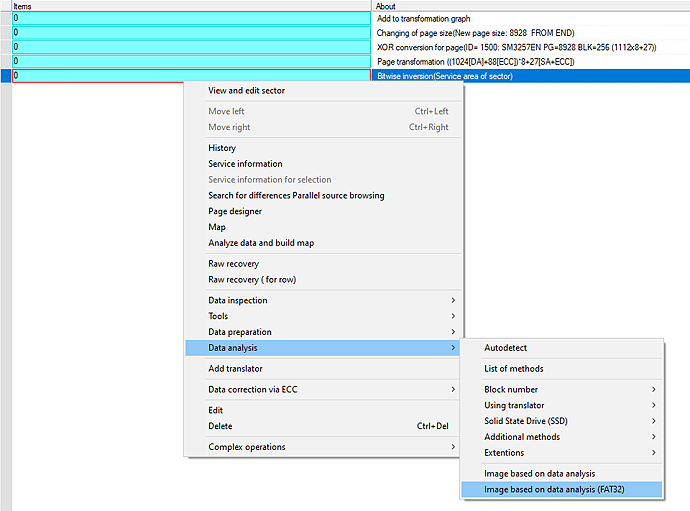
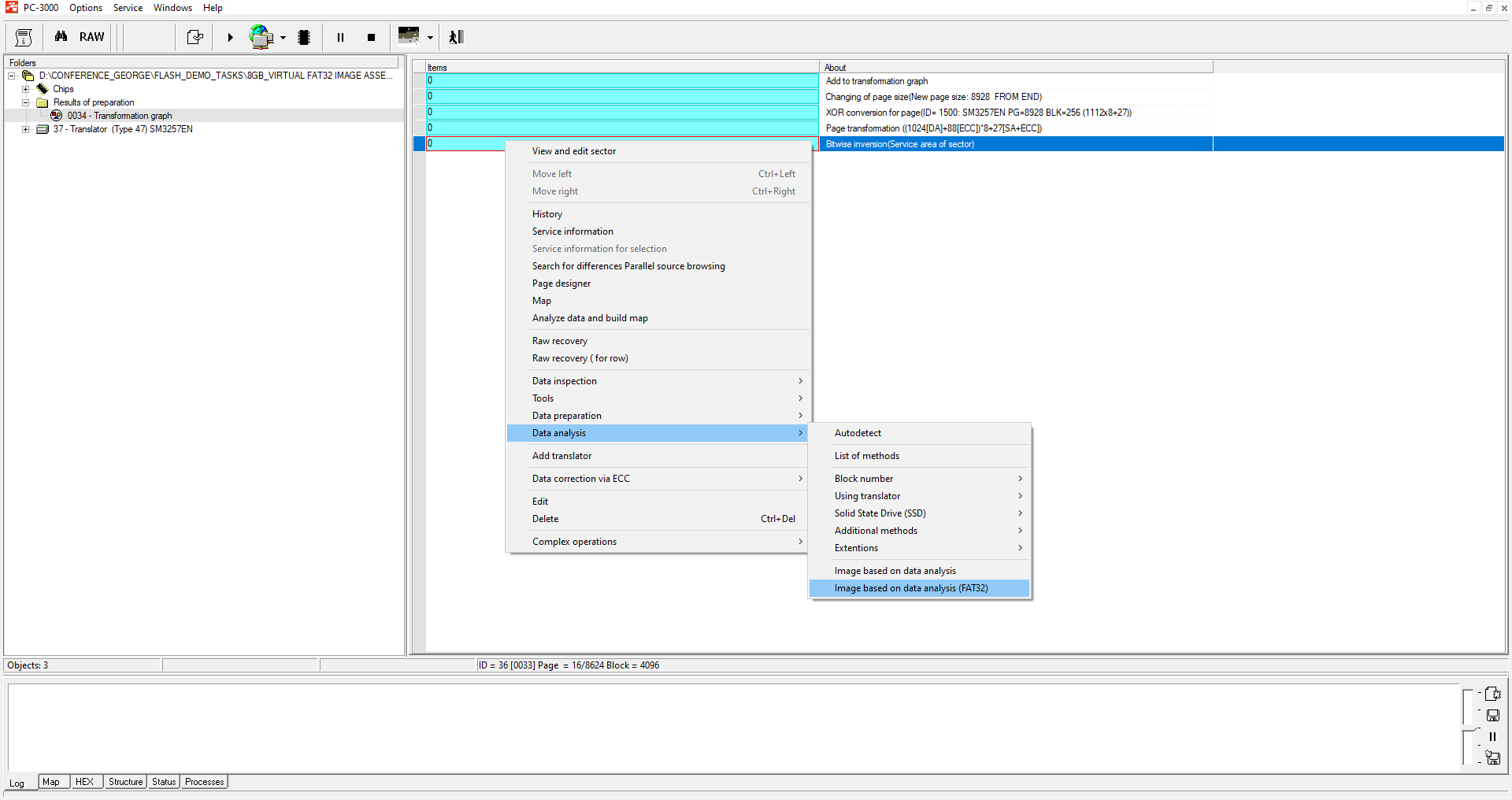
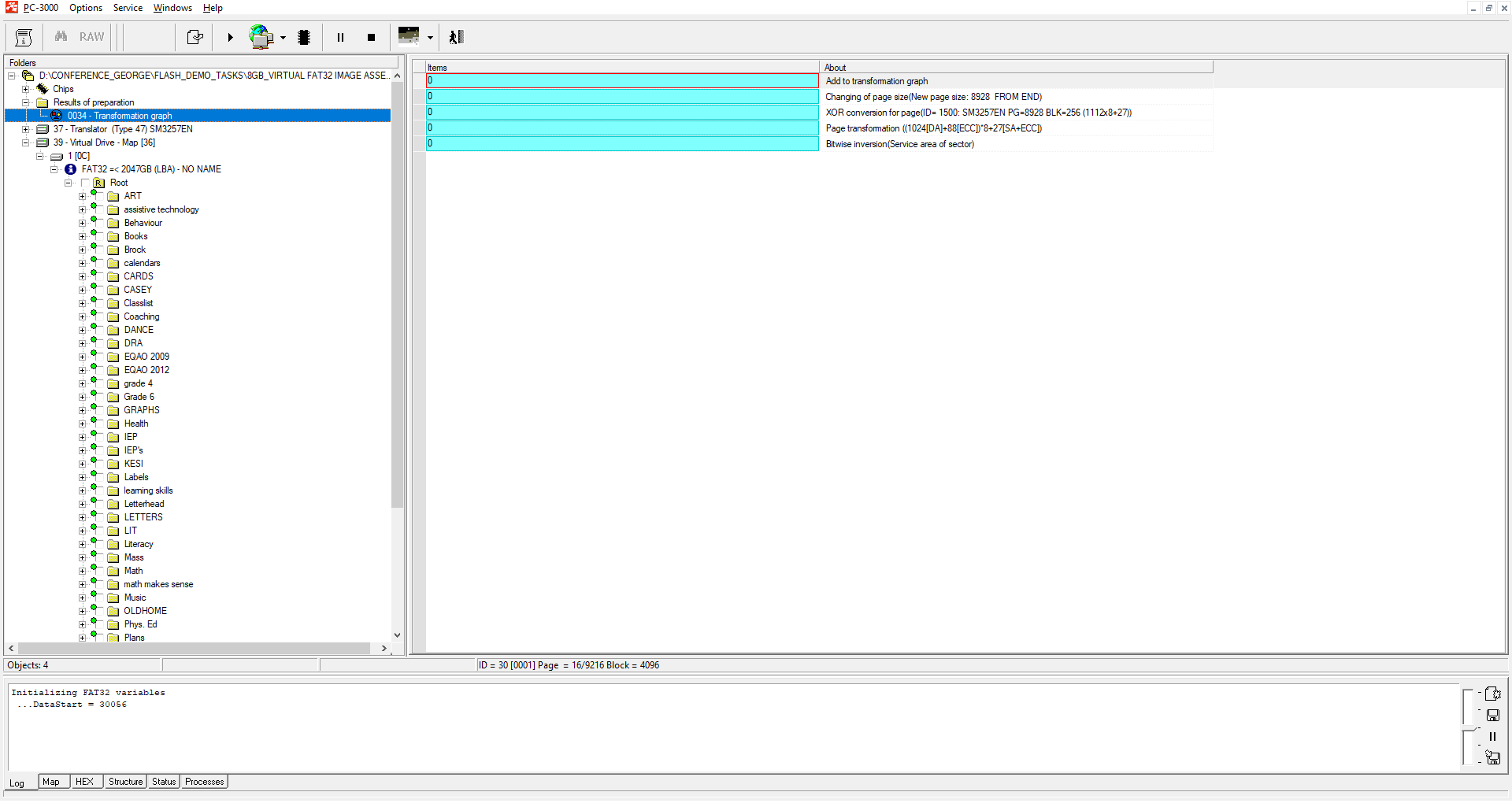
 ADDED a specialized method for data analysis and image building for FAT32-based file systems: “Image based on analysis (FAT32)”
 ADDED BUS pinout detection for the Spider Board adapter.

A DETAILED LIST OF ENHANCEMENTS:

 ENHANCED SanDisk 8Sec translator for TLC memory algorithm:
  • support of new types of firmware and new types of internal structures
  • checking procedure of ECC structures inside the translator tables
  • detailed information about image building procedure now display in log
  • added support of COLB1S5211C1e30r firmware modification
  • added support of COLB1S5211C0t30m firmware modification
 ENHANCED SanDisk TLC translator to work with drives that have offsets in the SLC block
 ADDED SanDisk 8Sec translator for MLC memory:
  • both UFD and SD / MSD drives are supported for image assembling
  • added support for 00ACP01X firmware modification
  • added support for COLB1S5211C1b30o firmware modification
 ADDED the ability to detect the shift of the ROOT folder in the expected place for Sandisk MLC / TLC image building algorithms. Information about the possible shift will be displayed in the log
 ENHANCED image assembling digitalization of the log in Sandisk MLC and TLC translators
 ADDED assembling translator algorithm for SM3268 / SM3269 based drives
 ENHANCED SM2704 Translator Algorithm
 ENHANCED SSS6677 Translator Algorithm. Now the assembling algorithm can search the damaged copies of translator tables and reconstruct a working copy from the partially working tables
 ENHANCED PS8210 Translator Algorithm
 ADDED support for NAND QLC Intel / Micron N18 chips:
  • Intel 29F512G08EBHAF [89D40C32 AA]
  • Micron MT29F1T08GBCAG [2CD40C32 AA]
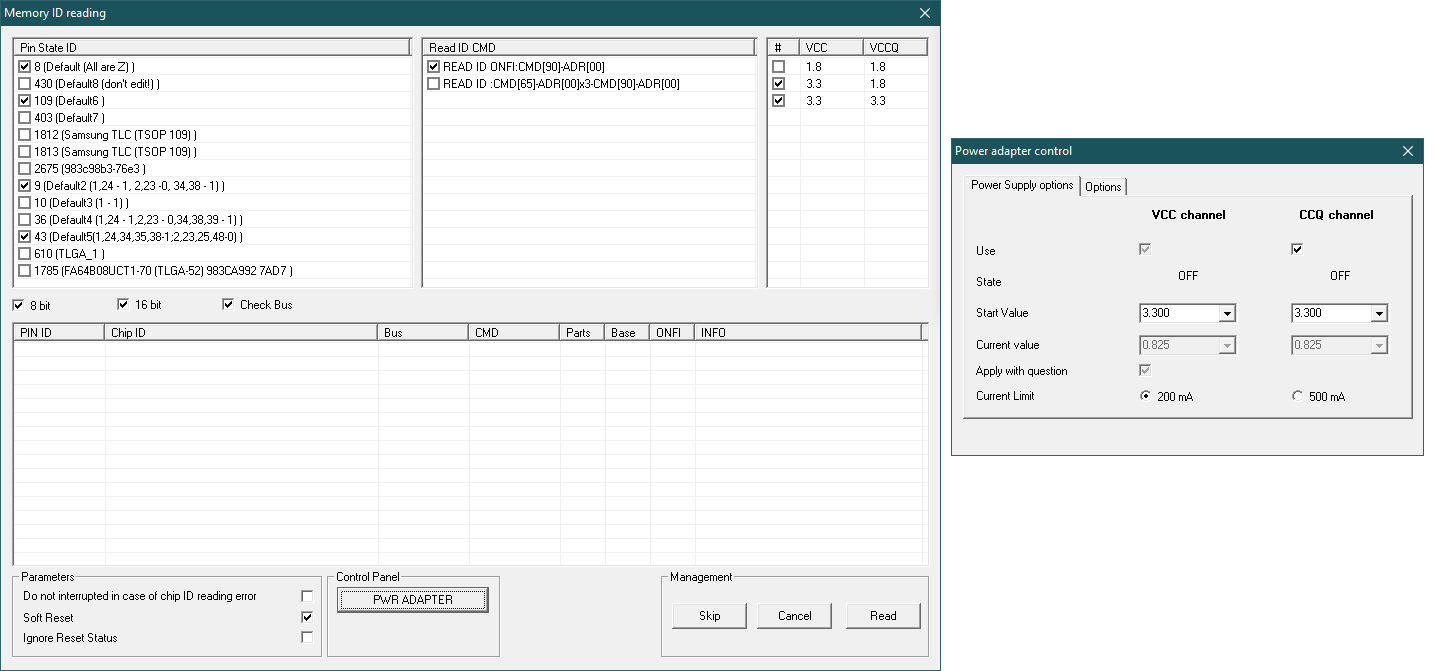
 ADDED the new feature of voltage control in the ID reading mode . Now it is possible to read the ID with 1.8V and 3.3V for VCC and VCCq circuits. It helps to read the new 1.8V NAND chips by default without the necessity to change the power parameters in the PC-3000 Flash Power Control Adapter settings
 ADDED a new algorithm of marker parameters detection for image building by Block Number Type 1 [0000]. It helps to detect the correct mask parameters for different cases
 ADDED a specialized method for data analysis and image building for FAT32-based file systems: “Image based on analysis (FAT32)”

This method, based on deep analysis of FAT structures, in some cases allows you to get a high-quality logical image. The method turns out to be irreplaceable in tasks where there is no translator algorithm for image building or there is no marker in SA area (FC1178/79, SSS6696, SSS6697, SSS6698, TC58NC6623, CBM2199a and other noname controllers). You can learn more about this method in our article

 ADDED BUS pinout detection for the Spider Board adapter. This new feature allows to detect the pins of I/O data lines in case if those pins were unknown. You can read more about this in our article
 ENHANCED the “Visual cutting of sectors in a block” tool. Added auto-detection of clipping formula and group clipping of selected pages by pressing the [Space] key
 ADDED support for basic read commands with a 4-byte block address. This allows you to read large-capacity chips where the block addressing goes beyond 3 bytes
 ADDED the ability to enter values ​​in the hexadecimal form to the dialog for editing the channel synchronization table. A flag that allows you to apply the entered value immediately after entering has been added as well
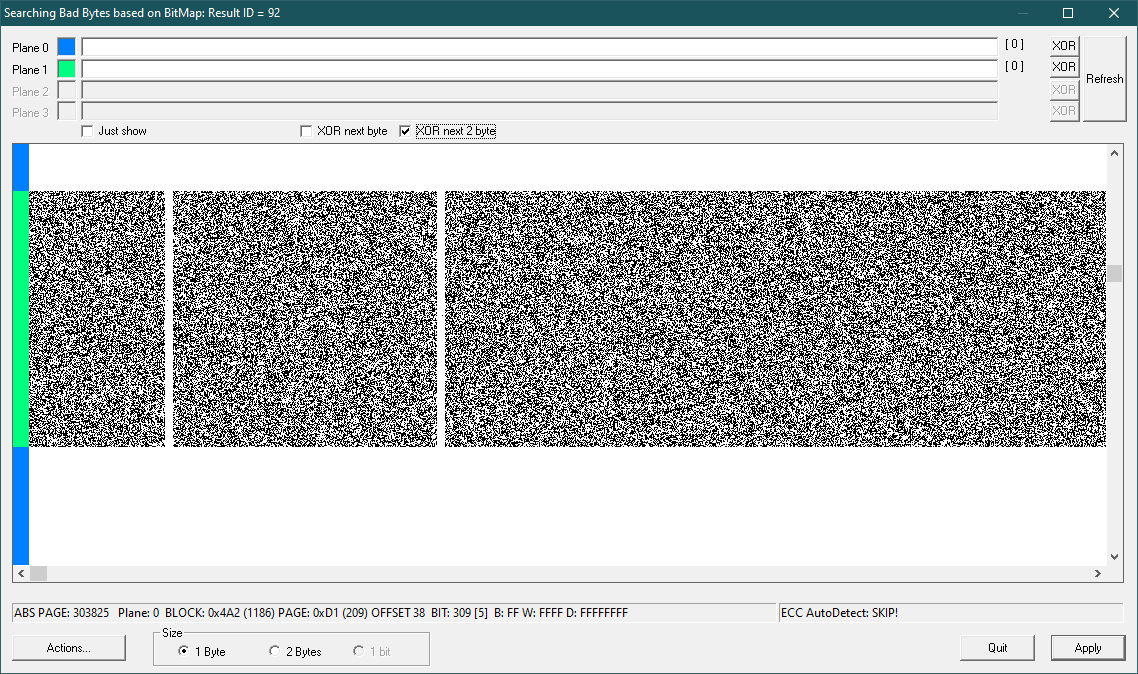
 ADDED an additional “XOR Next 2 Byte” flag in the mode of deleting Bad Bytes by BitMap. It is useful when working with dumps of AlcorMicro controllers
 ADDED the ability to show on the screen the voltage control dialog of the supply circuits simultaneously with Reading the ID of NAND chips. That allows you to control the supply voltage directly in the process of reading the identifier
 ADDED output to the protocol in the reread mode based on external files. That allows you to evaluate which file is applied for each range
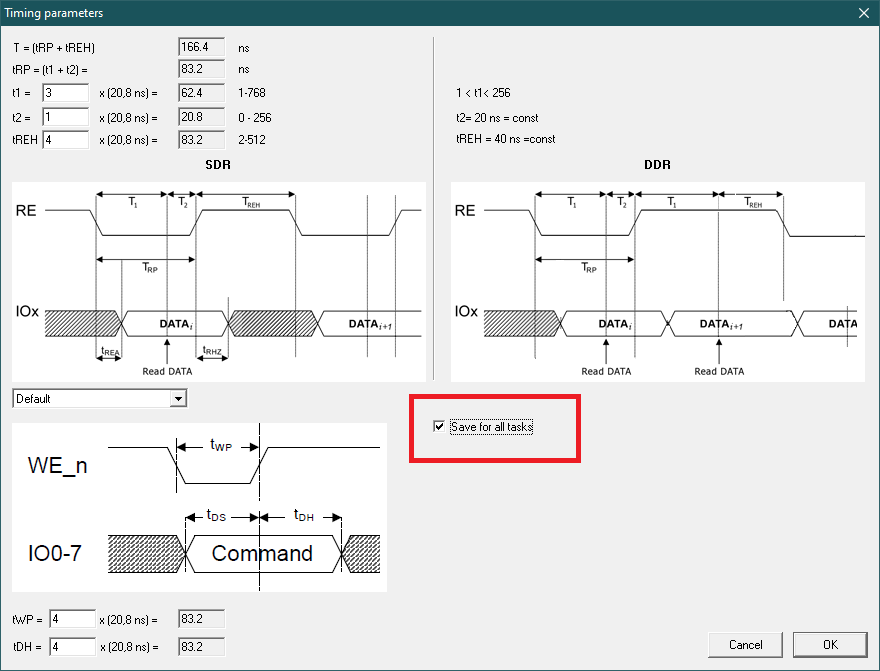
 ADDED a flag to the dialog for editing the protocol time parameters. That allows to save the specified values ​​not only for the current task, but also as initial values ​​for all subsequent tasks
 ADDED Resources:
  • Static XORs

Monday, March 29, 2021

Case study 28-WDC WD10SDZW-11UMGS0 CASE READY ONLY 190 FILE ERROR


   Model : WDC WD10SDZW-11UMGS0
  Serial : WD-WXB1A28FKA8Y
Firmware : 01.01A01
Capacity : 1 000 GB (1 953 459 632)


USB HARD DISK SATA BOARD FIX AFTER ALL SA FILES READ DATA COPY OVER


Tuesday, March 23, 2021

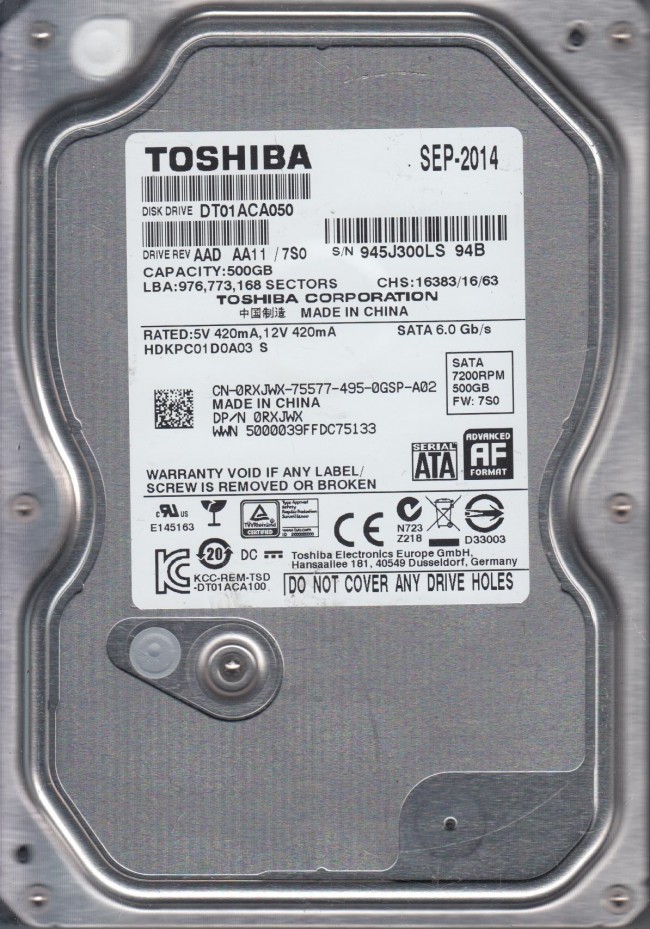
Case study 27-TOSHIBA DT01ACA050-HEAD REPLACEMENT


Model : TOSHIBA DT01ACA050
  Serial : 23O62KTGS
Firmware : MS1OA750
Capacity : 500 GB (976 773 168)
 

Thursday, March 4, 2021

 Seagate F3 Terminal Command Set

Seagate F3 Terminal Command Set


Tue Jul 14, 2015 3:01 pm

Here's a consolidated version of all the Seagate terminal commands collected so far. It's not intended to be an exhaustive list, but rather a collection of commands useful in data recovery. If you have more info to share please post it and I'll add it to the list:

The Very Basics:

TTL Default Settings:
Bits per second - 38400
Data Bits - 8
Parity - None
Stop Bits - 1
Flow Control - None

Ctrl + z (initiates the terminal connection and should prompt with level T>)
Ctrl + a (displays drive info, Package Version, Serial #, Model # (useful for missing label), Servo FW, etc.
Ctrl + l (displays drive info, # heads, serial, preamp type, family ID, etc.)
Ctrl + c (tells some drives to spin down, can be used immediately after CTL + z)
Ctrl + x (displays log of history commands)
/X (used to change levels, replace X with level 2, 3, 4,... 7, T, etc.)
2>Z (puts drive to sleep)
2>U (spins drive up)
7>X (test read/write head resistance)
T>B[N] (sets baud rate to N, so for example T>B921000 sets to 921000 baud. If invald rate is input, e.g. B1, drive will report supported rates)
T>V1 (returns slip defect list - confirm translator loading)
T>V2 (checks T-List)
T>V4 (checks G-List entries)
T>V10 (checks P-List)
T>V40 (checks for non-resident G-list entries)
1>G6A (clear P-List - Not Recommended!)
T> i2,2,22 (clear T-List - Non Recommended!)
C>Q (returns list of all available commands, sometimes just says "No Help Available" on all of them)
1>N1 (clears S.M.A.R.T)
1>N5 (returns SMART values in terminal window)
T>i4,1,22 (clears G-List)
7>m100 (clears DOS config tables)
T>J (displays CAP which has some drive info such as internal model, family ID, serial numbers, etc.)
C>U10 (regenerate MCMT while retaining MC contents)
C>U2 (regenerate MCMT and MC)

F Command: (thanks to hddoracle.com)
This is helpful for drives stuck in pending reallocate mode (E.G. InitiateMarkPendingReallocateRequest for disc_lba: )
All commands issues at level T>. Also HDD needs to be power cycled after issuing.

F (lists out all the parameters and bytes that can be modified within the F command)
F"RWRecoveryFlags",00,22 (disables read sparing, write sparing, and enables correction)
F"RWRecoveryFlags",01,22 (disables read sparing, write sparing and disables correction)
F"BGMSFlags",00,22 (disables background media scan)
F"PerformanceFlags",0060,22 (disables offline sparing, deferred auto reallocation, and idle activities)
F"ReadRetries",00,22 (disables read retries - possibly better performance in software like ddrescue)
F,,22 (resets to default - sometimes necessary to get sector access back afterward)

r & w Commands:
Commands issued at level T>

r command is used to read system files (E.G. T>r93 requests system file 93)
w command is used to write system files (E.G. T>w28 initiates write for system file 28)

These commands can also be used to read/write a specific volume/copy of a system file. The command is issued as follows:
r[FileId],[VolumeNum],[CopyNum],[ByteOffset],[Length],[OutputFmt]
w[FileId],[VolumeNum],[CopyNum],[ByteOffset]
So for example to read system file 28 volume 3, copy 1: T>r28,3,1
To write system file 93 volume 3, copy 0: T>w93,3,0
(Most SA modules are in the default volume 3, just FYI)

These read/write operations are carried out using Y-Modem protocol supported by some terminal programs.

SSHD Specific (Rosewood Drives):

O>I (Clear NAND of Donor in preparation for PCB replacement w/ ROM transfer)

M Command Quick Reference: (thanks to PCLab)
All commands issued at level T>

m0,6,2,,,,,22 (most commonly used to regenerate translator)

m0,2,1,,,,,22 ( To rebuilt slip list, V1 )
m0,2,2,,,,,22 ( To rebuilt G list, V2 )
m0,2,3,,,,,22 ( To rebuilt P list, V3 )

m0,5,1,10,3,,,22 ( To zero fill with slip list )
m0,5,2,10,3,,,22 ( To zero fill with G list )
m0,5,3,10,3,,,22 ( To zero fill with P list )

m0,8,1,10,3,,,22 ( To format with slip list )
m0,8,2,10,3,,,22 ( To format with G list )
m0,8,3,10,3,,,22 ( To format with P list )

m0,D,1,,,,,22 ( To repair bad sector by Slip list )
m0,D,2,,,,,22 ( To repair bad sector by G list )
m0,D,3,,,,,22 ( To repair bad sector by P list )

m0,20,1,,,,,22 ( To format (seacos XF) by Slip list )
m0,20,2,,,,,22 ( To format (seacos XF) by G list )
m0,20,3,,,,,22 ( To format (seacos XF) by P list, most powerfull to repair bad sectors, red and green blocks )

m0,2,2,,,,,22 ( Format user area partition without certifying defects and relocate defects. not effect Data in a drive )
m0,2,1,,,,,22 ( Format user area partition with user slip list with certify defects. DATA WILL BE LOSS )
m0,D,3,,,,,22 ( Format user area partition with repairing of bad sector, auto add bad sector into G list and in the last it will be shifted to P list )

m0,5,1,,,,,22 ( it used for erasing of all sector )
m0,8,2,,,,,22 ( it is used for formatting hard disk sectors )

M Command Full Explanation: (thanks to irs)

Seagate Terminal M Command.doc
(17.67 KiB) Downloaded 6185 times


Terminal Errors Explained: (thanks to HDDGuy)

TCC-001A[0x000042F9][0x000042F9]ZZZZMMMMMMMMMMMMMMMZZZZZZZZZZZZZZZZZZZZZZZZZZZZZZZZZZZZMMMMMMMMMMM.... = This error relates to an inability to read Servo or Overlays. This message is also displayed at some Grenada models when PCB/ROM is not native.

Failed to load overlay 00000004 - this is usually associated with some hardware error and can be caused by non-native adaptives (i.e non-original ROM)

SIM error 1002 = this message alerts us to some error with one or more defect list. Potentially P-list or NRG list can be bad.

SIM error 2044 - Translator tables cannot be read or are damaged.

SIM error 1009 - Module 17A is damaged

SIM Error 203F / SIM Error 2040 / SIM Error 2044 / SIM Error 3005 - Also seem to be damaged or unreadable translator related errors

LED:00000047 FAddr:FFFFFFFE - Usually this relates to Media Cache

LED:000000BC FAddr:00006220 - Usually this also relates to Media Cache or some relocation parameters.

More Terminal Errors Explained: (thanks to jol and acelabs)

SIM ERROR 3005 (mean that “format corrupted flag” in on and Translator is not loaded in RAM)

“No HOST FIS-ReadyStatusFlags” (reason message: why translator is not loaded).

More Terminal Errors Collected From the Web By Your's Truely

LED:0x000000BD FAddr:0x00009887 or LED:000000BD FAddr:0000988E - Usually relates to Media Cache or other background processes in System File 93. Some have reported clearing SMART as having fixed the issue.

MCMTFileHandler: EXCEPTION: Failed MCMT read request - Relates to System file 346 being damaged, or possibly media cache

LED:000000CC FAddr:0024A7E5 - Bad Translator. Short read channel, clear smart, regenerate translator.

SMI init (or) Training Failed - Bad PCB

Disc FW failed to load - Bad PCB

Sense code = xxxxxx82 – problem with sector translation (broken translator) (x's will be other numbers)
Sense code = xxxxxx81 – uncorrected error (bad sector, not translator)

LED:00000067 - Normal if PCB is removed from HDA. Otherwise it's heads/media damage

SimError - Remaining in BootFW
Perform a double download without a power cycle (This error occurs with non-original ROM code or PCB)


 

Case study 26 - Model : ST1000LM035-1RK172 -MCMT table is corrupted


    Model : ST1000LM035-1RK172
  Serial : WES1TMEG
Firmware : SBM3
Capacity : 1 000 GB (1 953 525 168)


 dDATA RECOVERY POSSIBLES 1 DAY DATA RECOVERY OVER 


Wednesday, January 27, 2021

Manufacture Programming Mode is in unlock mode issue


Click 


Manufacture Programming Mode is in unlock mode issue


Free HP MPM Unlocker tools


tools to update HP Laptop Serial number , Model Name , UUID, CT number etc

Thursday, December 24, 2020

Case study 25 -ST1000DM003-1SB10C-PreampFaultStatus = 0004 CASE ST 12


    Model : ST1000DM003-1SB10C
  Serial : Z9A17X5E
Firmware : CC43
Capacity : 1 000 GB (1 953 525 168)


F3 T>
HighPowerMode Status 0001 Req 0002
Pharaoh Oasis LuxorLite 1.0, 1MB Flash, ABIE, PBASeed, SP2.5, DFZ9A17X5E
Product FamilyId: 94, MemberId: 06
HDA SN: Z9A17X5E, RPM: 7197, Wedges: 188, Heads: 2, OrigHeads: 2, Lbas: 00000E8FEAA6, PreampType: B0 04
Bits/Symbol: C, Symbols/UserSector: BEB, Symbols/SystemSector: 1A5
PCBA SN: 0000W622UCFM, Controller: LUXORLPLUS_2_0(0205), Channel: STX_DUNRAVEN, PowerAsic: Unknown Rev 00, BufferBytes: 2000000
SF ID: 0 0, SF Part Size: 400, Flash Used: 400
Package Version: PAA4010B4.CCD4.PA1C00.CC43    , Package P/N: 100791438, Package Global ID: 00496476,
Package Build Date: 11/10/2015, Package Build Time: 14:30:08, Package CFW Version: PAA4010B4.CCD4.PA1C00.00946774.00496476.CC43    ,
Package SFW1 Version: B423, Package SFW2 Version: ----, Package SFW3 Version: ----, Package SFW4 Version: ----
Controller FW Rev: 11101430, CustomerRel: CC43, Changelist: 00946774, ProdType: PAA4010.CCD4QC, Date: 11/10/2015, Time: 143008, UserId: 00496476
Servo FW Rev: B423
TCG IV Version: n/a
Package BPN: 36
RAP FW Implementation Key: 16, Format Rev: 0005, Contents Rev: 0B 01 00 00
Active BFW Container: 0
4K Sys Area: 0

PreampFaultStatus = 0004

PreampFaultStatus = 0004

PreampFaultStatus = 0004

PreampFaultStatus = 0004

PreampFaultStatus = 0004

PreampFaultStatus = 0004

PreampFaultStatus = 0004

PreampFaultStatus = 0004

PreampFaultStatus = 0004

SOLUTION: HEAD REPLACEMENT 

MEDIA CATCH 


Wednesday, December 23, 2020

Case study 24-SEAGATE CASE NO 3101


  Model : ST1000LM035-1RK172
  Serial : W9320B60
Firmware : SBM3
Capacity : 1 000 GB (1 953 525 168)


Update Mask - 0000000004D667A0 - 00000008 - 00
Update Mask - 0000000004D667A8 - 00000008 - 00
Update Mask - 0000000004D667B0 - 00000008 - 00
Update Mask - 0000000004D667B8 - 00000008 - 00
Update Mask - 0000000004D667C0 - 00000008 - 00
Update Mask - 0000000004D667C8 - 00000008 - 00
Update Mask - 0000000004D667D0 - 00000008 - 00
Update Mask - 0000000004D667D8 - 00000008 - 00
Update Mask - 0000000004D667E0 - 00000008 - 00
Update Mask - 0000000004D667E8 - 00000008 - 00

98 FILE  WORK
 

Wednesday, December 9, 2020

 Case study 23- SIM Error 2042 LBA 00000000000122A3 FD FC35E028


Monday, November 23, 2020

Case study 22-Rosewood EB01 Error : BFW compatibility sect. inx err!


Rosewood EB01 Error : BFW compatibility sect. inx err!


Terminal Out put
Boot0x80M
TCC:0021

QB
Rst0x80M
T:0x000C 0x3162FB2C
FTU
TCC:0021:0028 EMCDataErr:00000012

PrgF
(P)SATAReset

RAWOFF
PASS
EDACValue=00000000FFFFF111
SIMFileFD=FC3B3348ErrorCode=44090082DiscLBA=0000000000006498Duration=00000821ms
EDACValue=00000000FFFFF111
SIMFileFD=FC3B3348ErrorCode=44090082DiscLBA=0000000000013E98Duration=00000821ms
MCMT table is corrupted
6GbMaxSpeedloweredto3GbforIntelbug
SendStatus:COMRESETseen
CSpd=3Gbps
FIS34
DOS:0 Scan Unit


 SOLUTION : /cU10

fix 


Wednesday, November 4, 2020

Case study 21-SMAUSNG DONER-- healing Enable 003C 001E 0000 001EmS1 00000003

 *PAUNI_L2958*PA VID=0011 PN=000D Rev=0001- PA_LSI2958 Found
*PAUNI_L2958*PA VID=0011 PN=000D Rev=0001- PA_LSI2958 FoundU

MADIPAKKAM

ST1000LM024 in with head failure. Heads were replaced successfully and HDD enters RDY.

Quite a number of firmware modules were unreadable reporting UNC or ABR on all heads. However increasing the read attempts in utility from the default of 102 to maximum of 255 allowed reading of nearly all modules. There were particular problems reading S-List to begin with

It is possible to read sectors, however there appears to be a translator issue - data in sector 0 is wrong, and other data the disk reads does not correspond to what would be expected in that sector. Reading parts of the MFT allow access to file entries, but opening the files they nearly all have the incorrect header. RAW recovery provides good files.

Perhaps one of the defect lists is not correctly being loaded? (S-List)

Terminal output below from power on.

Thanks,
A


ActiveFW : 00
FWVer : 0001
SATA PLL cal done
DDR size detected = 16MB

DDR size detected = 16MB

*PAUNI_L2958*PA VID=0011 PN=000D Rev=0001- PA_LSI2958 Found
*PAUNI_L2958*PA VID=0011 PN=000D Rev=0001- PA_LSI2958 FoundU
S_0SO_1
SPU@23C,5060mV
IS=3
CLA ..36/65
HO..OK
HO RPM=3263 OK
AC 780
ST..Skip..OK
mS1 00000003
GT:406
SC(L):4100/16
BE.N:28
LD..OK
SK C: 7747 H:0
Loaded FIT ( 0: 0: 1)
CalibTable Loaded. Rev:0x1B
ResoTable Loaded. Rev:0x01
Bump Limit Loaded. Rev:0x01
RRO1xTable Loaded. Rev:0x01
Fw Active 00
Ovly loaded to 0x00014D00
Ovly loaded to 0x1002DF60
FdtTable Loaded. Rev:0x02
| 17 | SLIST | 4 | 0 | 0 | 5B04 |
| 17 | SLIST | 4 | 1 | 0 | 1140 |
| 17 | SLIST | 4 | 2 | 0 | 1140 |
Unknown file id 384
Up MC

PwrOn RRO1x @ H0
Table) cos = -711680, sin = 496640
Coeff) cos = -35792, sin = 50008

DiskSlip : 122 [SrvTrk]
DiskSlip : 131 [SrvTrk]
0. phs diff 1 [wedges] Table) 155, coef) 154

PwrOn RRO1x @ H2
Table) cos = -716544, sin = 489472
Coeff) cos = -30592, sin = 34175

DiskSlip : 122 [SrvTrk]
DiskSlip : 129 [SrvTrk]
4. phs diff 0 [wedges] Table) 156, coef) 156
TgtCyl: 832
Hd: 2 Zn: 0 Avg.:- 229
TgtCyl: 263568
Hd: 2 Zn: 1 Avg.: 1045

SVCAL(0080,0000)-->PASS
RecordValid Fail : 0406E47D 0007E41D
ENG>| 152 | ZONHEAL3 | 64 | 0 | 0 | 5B04 |
[INIT_ATWH_V2 REV:0008 GRP:1]
RdyTm = 15764986 us
EPOK
mS1 00000003
SK C:155464 H:0
SC(U)..4100/80
UD..OK : 80
PK_4 C: 9 H:0

healing Enable 003C 001E 0000 001E

SOLUTION

you can used: rebuild S-List From T-List . And ReBuild T-List From D-List. in the menu .

Turn off and on Power. and try again.